Download private Instagram videos and photos
Download videos and photos from private Instagram accounts easily
Private Instagram downloader online
Want to download photos, videos, or stories from a private Instagram account? We've just released the private Instagram download feature, which lets you easily download posts from private Instagram accounts, as long as you have access to that account (you've followed and approved it).
Simply access the website InSaver.app using browser, navigate to the Private Instagram Downloader feature, and follow the instructions. You can easily download photos and videos from private posts or accounts directly in your web browser without needing to install any additional software or extensions.
What is a private Instagram account?
When an account goes private, only approved followers can see posts, stories, or reels from that account. This makes saving content from private Instagrams more difficult, and InSaver is a tool that makes it easier than ever.
Features of Private Downloader
With InSaver, you can download photos and videos from posts on private accounts in just a few simple steps:
- Photo from private post.
- Video from private post.
- Video Reels from private accounts.
- Private IGTV videos.
- Private stories only last for 24 hours.
The system works smoothly on PC, phone (Android/iOS) and tablet.
How to download private Instagram using InSaver:
Note: You need to be logged into Instagram in your browser with an account that has permission to view the content of that private account.
Step 1: Open Instagram.com on your browser → Log in to your account.
Step 2: Go to the private account's post/story → Click the Share button → Copy link.
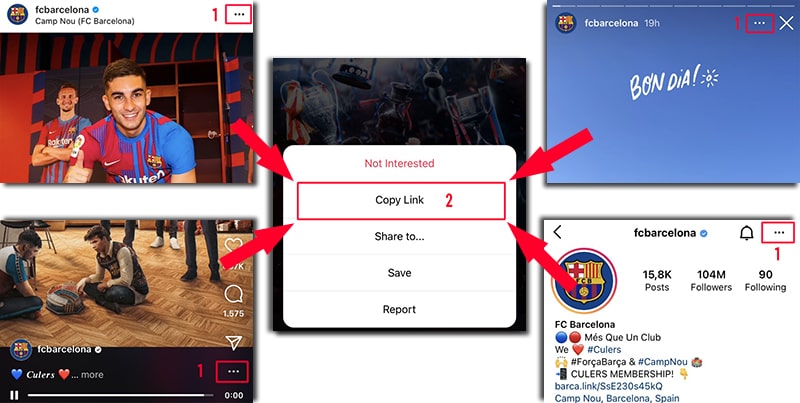
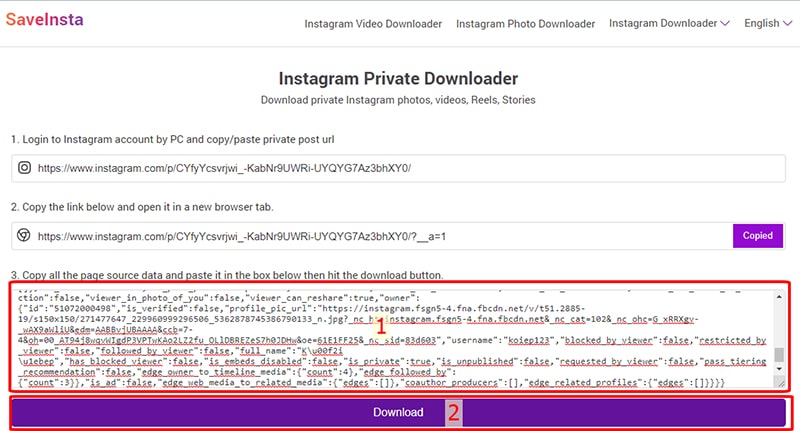
Step 3: Go to the website https://insaver.app/en/download-private-instagram and paste the copied link into the first box.
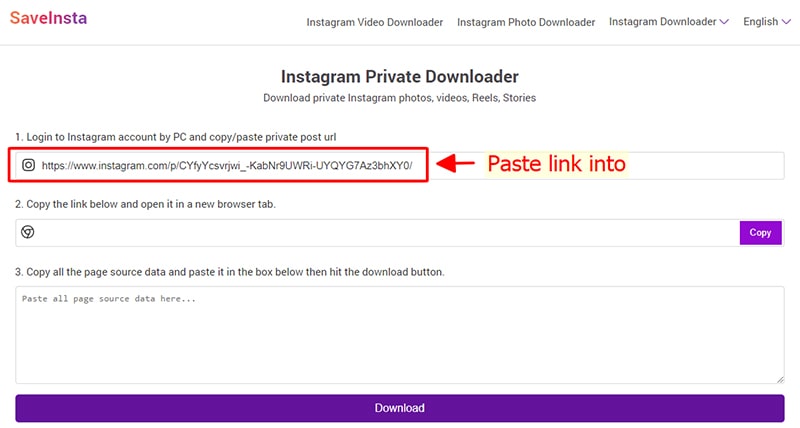
Step 4: A new link will appear in the second input box → Tap Copy to copy it to your device's clipboard.
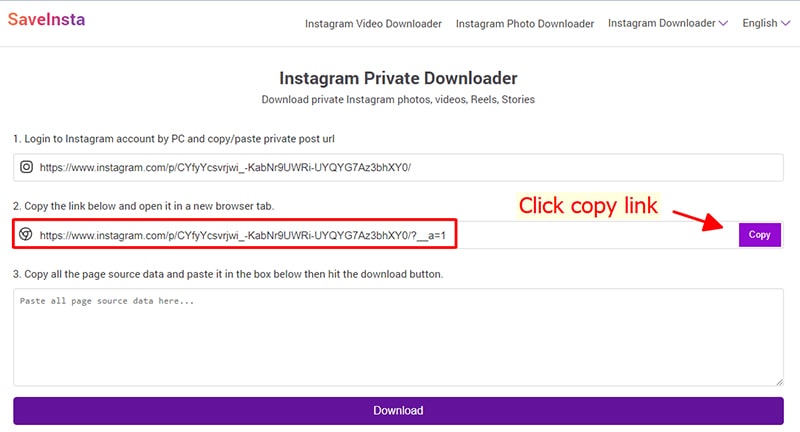
Step 5: Open a new tab, paste and visit the newly copied link in the 2nd input box.
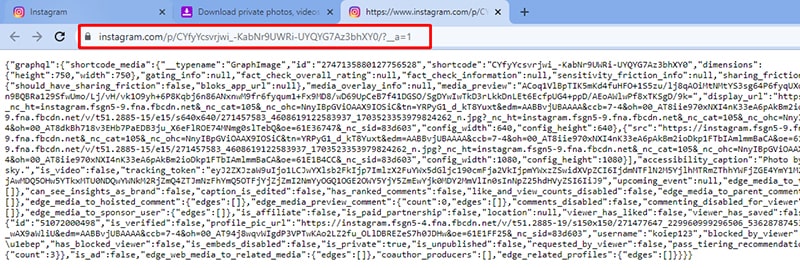
Step 6: Highlight all source code by pressing Ctrl + A (Windows) or ⌘ + A (Mac), then right-click and select Copy.
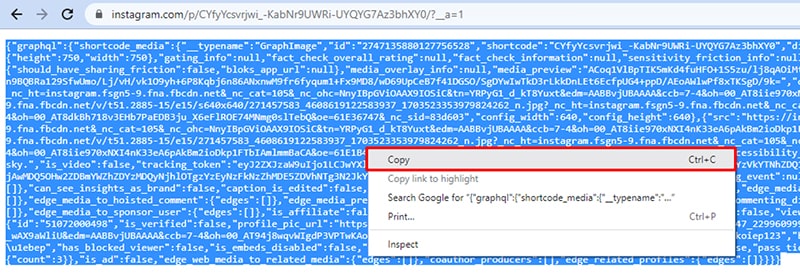
Step 7: Go back to the InSaver private download page → Paste the entire source code into the third box → Click the Download button.
Step 8: Wait a few seconds for the system to process and display the entire content of the private post. Finally, click on the corresponding Download Video or Download Photo button to save it to your device.
Some Notes
- You must have access to the content (e.g. follow the account).
- InSaver does not collect or store data, all operations are performed locally via the browser.
- Downloading private content should be for personal use only.
FAQ
How can I download photos or videos from a private Instagram account?
- Go to Instagram → Copy photo or video link.
- Paste the link into the private downloader on InSaver.
- Follow the step-by-step instructions to process and download content to your device.